This course is intended to introduce researchers in the College of Science and Engineering to the many digital research and research computing resources available to support them at the University of Edinburgh. This course gives an overview of our key central computing services organised by research lifecycle stage. Helpful general information, tips, and links to further cental and school specific resources are also included.
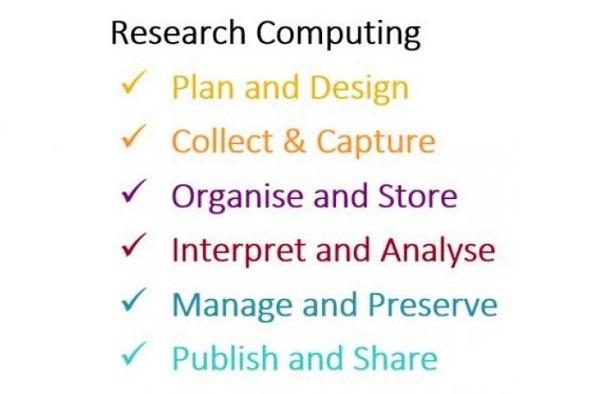
This course will be useful for all new recruits from PhD candidates to senior researchers, and may be a helpful overview and refresher to those already working at the university as the latest offerings are included. Resources such as those in the "Plan and Design" and "Organise and Store" stages can be used to aid remote and collaborative working with your research data in a suitably secure manner.
It may be helpful to review this course alongside the Research Computing Funding Checklist if you are considering which services to use for any new grant applications.
Click to access LearnFree or paid for:
The course is free to use for any staff or student at the University of Edinburgh. The costs of the resources referenced in the course vary and, for large scale needs, it's always worth discussing ahead of time with the service owner as bulk discounts may be possible.
Product Features
- Online learning developed in Xerte and delivered through the Learn system
- Support from IS Helpline and Digital Research Services
Applicable Disciplines
- Agricultural and Biological Sciences
- Biochemistry, Genetics, and Molecular Biology
- Chemical Engineering
- Chemistry
- Computer Sciences
- Earth and Planetary Sciences
- Energy
- Engineering
- Environmental Science
- Mathematics
- Materials Science
- Physics and Astronomy
Get Started
- Log-in at https://www.learn.ed.ac.uk
- Select Self-Enrol at the top-right banner
- Select Self Enrol CSE Courses in the Course Catalogue menu
- Hover over the course id zu_cse_digital_research_services_overview and click the down arrow that appears, then click Enrol
- Navigate back to My Learn (see banner) where the course can be accessed from the section "Courses where you are Student"
Terms & Conditions
Technical requirements
- University/EASE login required
- Internet Access
Skills required
- No pre-requisite knowledge or experience required